Shape the workspace
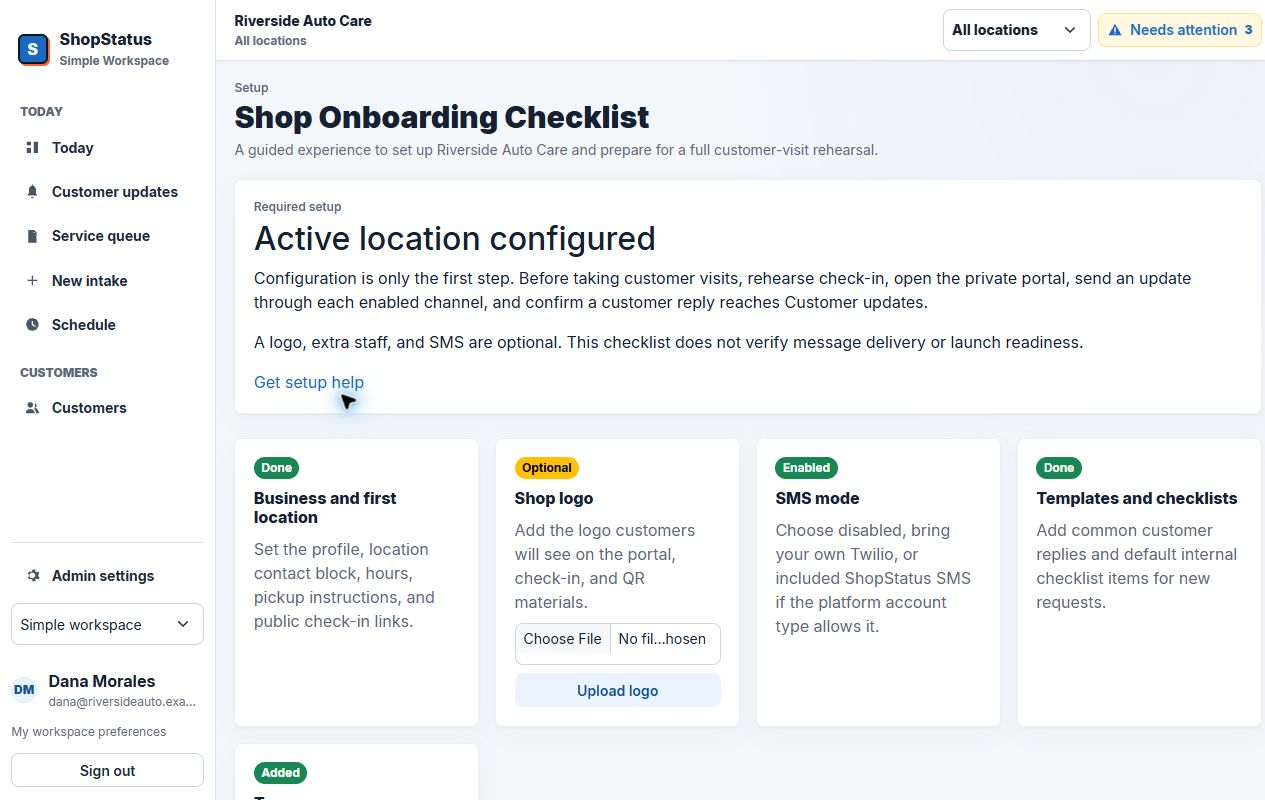
Business details, location scope, staff access, simple or advanced mode, and status language.
Onboarding and support
Small shops do not need another login and a pile of documentation. They need the first workflow configured correctly and a clear view of what is ready.
Plan a supported rolloutReadiness is part of the product
The workspace keeps business details, locations, staff, SMS, email fallback, embed domains, QR signs, imports, and workflow setup visible as an ongoing health state.
The rollout path
The exact sequence can flex around the shop, but the core checks remain visible from first configuration through launch.
Business details, location scope, staff access, simple or advanced mode, and status language.
SMS mode, email fallback, portal links, domain settings, notification logs, and test sends.
QR or front-desk intake, status updates, approval, customer reply, ready state, and closure.
Readiness alerts, stale requests, failed notifications, audit activity, and advisor queue behavior.
Support surfaces
See disabled SMS, missing fallback, domain setup, stale work, and integration failures where the team works.
Trace notification attempts, skipped sends, provider errors, retries, and related service requests.
Switch into the correct shop and location with audited support access and a clear exit from support mode.
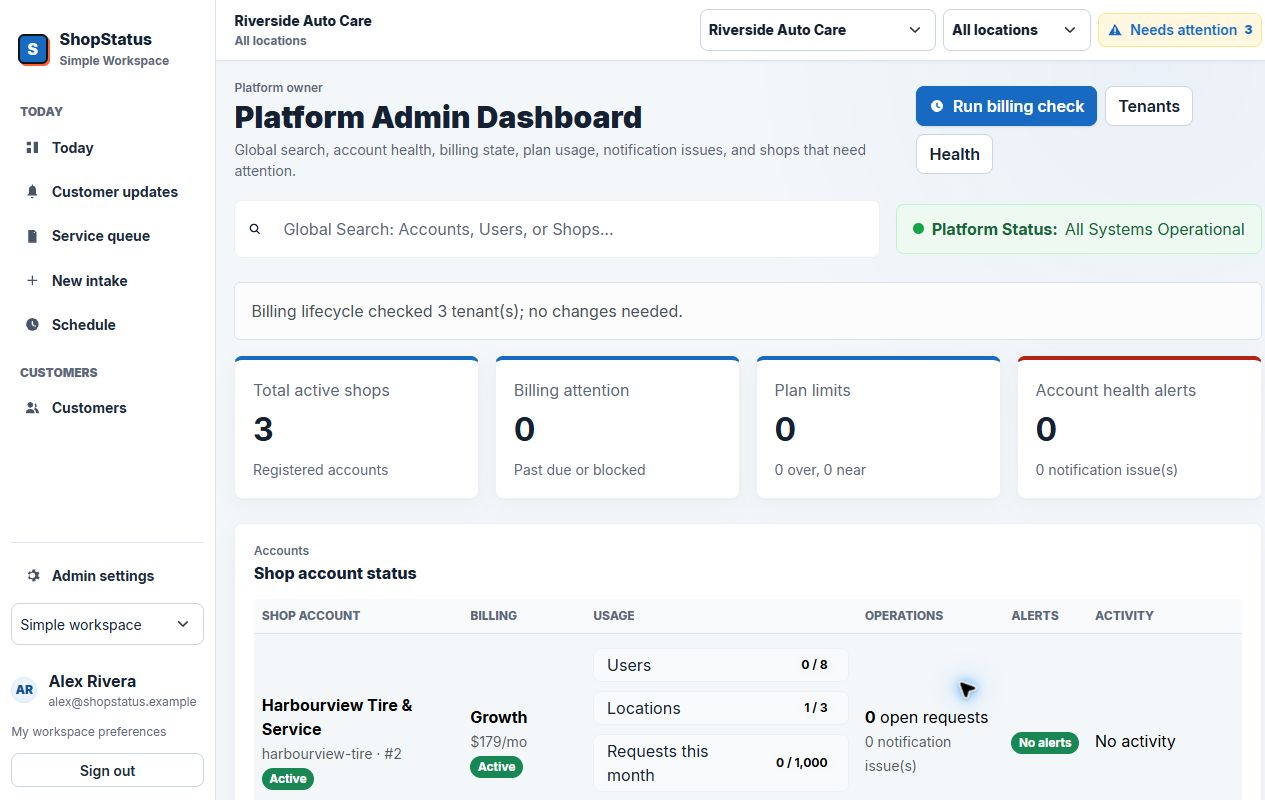
Review tenant setup, active requests, usage, integration state, onboarding, and critical account signals.
Owner-supported operations
The platform view brings shop accounts, signups, health, global search, and critical support issues into one place.
Support questions
Standard setup is collaborative. We help shape locations, staff, customer-facing language, intake, readiness, and the first advisor workflow.
Platform-owner access can switch shop and location scope for support. Support mode is visible and changes are auditable.
The product records delivery state and surfaces failed or skipped communication so the shop can use a fallback and investigate the provider issue.
Yes, when the remaining gaps are understood. QR and portal-link workflows can launch before SMS, while readiness banners keep the limitation visible.
Start with a clean first workflow
We will cover both what the shop sees and how it stays supportable after launch.
Book a supported walkthrough